



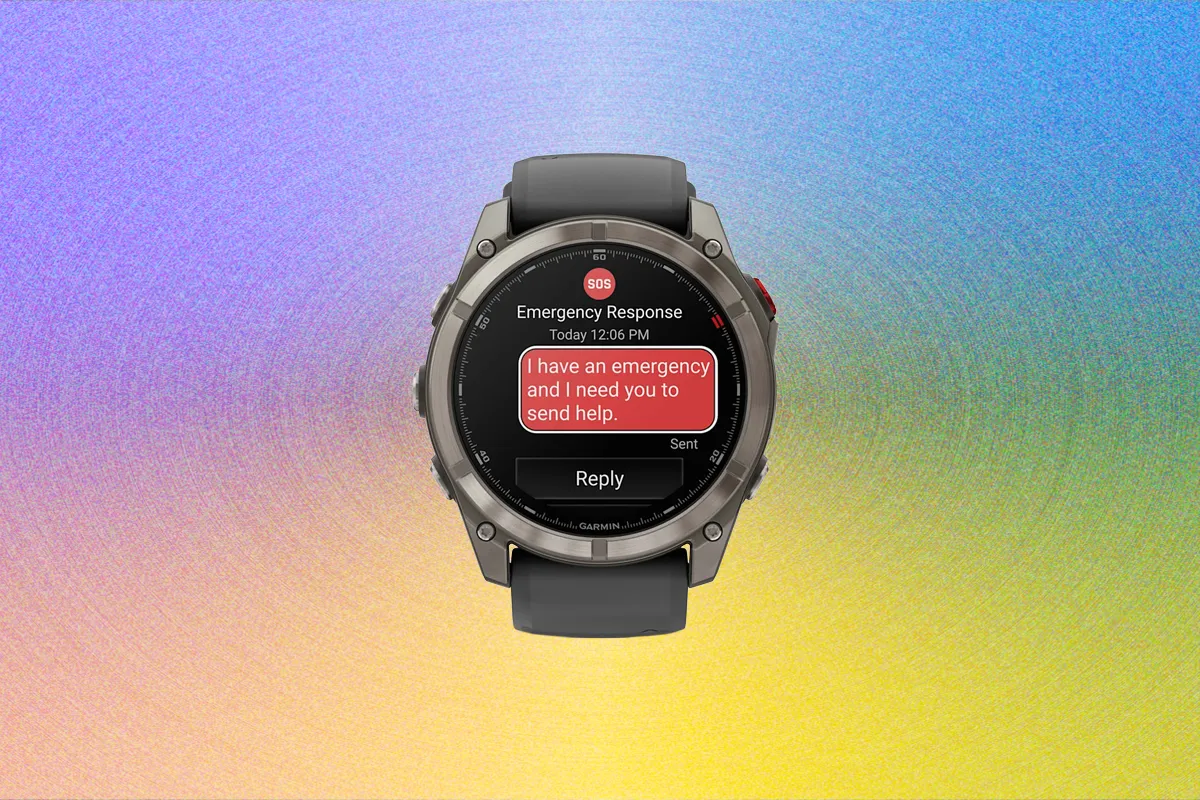
Staying connected when you’re far from civilization isn’t as simple as it sounds. Garmin’s latest innovation makes it easier than ever to stay safe and communicate when you’re completely off the grid. Here’s a full breakdown of how the Garmin Fenix 8 Pro brings satellite communication to your wrist—and how to make the most of it.
If there’s one lesson to take away from survival tales—like those featured on the Real Survival Stories podcast—it’s that outdoor adventures can turn into emergencies without warning. Whether you’re biking the rugged trails of California or kayaking along England’s wild coastlines, a reliable way to call for help can mean the difference between rescue and disaster.
Until recently, off-grid communication required carrying a dedicated satellite messenger. Now, Garmin—known for crafting some of the best outdoor sports watches—has built satellite capabilities directly into the Fenix 8 Pro. This advanced watch features Garmin’s inReach satellite technology, offering satellite-powered text messaging, location tracking, and an emergency SOS feature that alerts Garmin Response for rescue.
What It Costs
The Fenix 8 Pro comes at a premium—priced roughly $200 higher than the standard Fenix 8. To unlock satellite features, you’ll also need an inReach subscription, which starts at $8 per month and goes up to $50 per month depending on how many messages and how much live tracking you want.
All subscription tiers include Emergency SOS and LTE connectivity, with a minimum 30-day commitment. You can upgrade or downgrade your plan at any time, depending on your adventure schedule.
Even when you’re away from your phone but still have LTE coverage, you can make phone-free calls, send voice messages, text messages, and share live tracking updates directly from your watch.
Setting Up Satellite Communication
To get started with the satellite and LTE tools on the Fenix 8 Pro 51mm AMOLED, you’ll need:
- A Garmin Fenix 8 Pro watch
- A smartphone with the Garmin Connect and Garmin Messenger apps installed
- A Garmin account signed in on both devices
- A Garmin Messenger account linked to your phone number
- An inReach subscription (a free trial is available during setup)
The setup process can feel a little complicated at first—it requires creating accounts, linking apps, and selecting a subscription plan. However, it typically takes about 15 minutes from start to finish, and once done, your device will be ready for full off-grid functionality. It’s a small investment of time that could be invaluable if you ever find yourself stranded or in danger.
Once configured, most key functions can be handled directly from the watch. Tasks like managing emergency contacts or adjusting tracking notifications are handled through the Garmin Connect or Messenger apps on your phone.
LTE or Satellite: Which One to Use?
Depending on your plan, the Fenix 8 Pro offers three main communication modes: Bluetooth (via your phone), LTE, or Satellite.
You can toggle between these settings directly on the watch—choosing from LTE, Satellite, Auto, All, Both, or None. In Auto mode, the device prioritizes connection types automatically—using your phone first, then LTE, and finally satellite if needed. This makes Auto the most convenient choice for seamless switching in real time.
Garmin’s LTE network doesn’t require an additional data plan, and it works across regions. Essentially, it turns your Fenix 8 Pro into a mini communication hub, ideal for quick updates to family, friends, or teammates while on adventures. However, keep in mind that if your phone has no cellular signal, your LTE watch won’t either.
That’s where satellite communication steps in—offering connectivity when cell networks fail. To send or receive satellite messages, you’ll need a clear view of the sky and must hold your arm in a specific position for a proper link. Unlike Garmin’s standalone inReach devices, the Fenix 8 Pro doesn’t constantly check for new messages, so communication can take a bit longer.
Sending Messages and Making Calls
The Fenix 8 Pro lets you send text messages through LTE or satellite, though satellite messaging requires more effort.
If the watch can’t connect to your phone or LTE, it automatically switches to satellite mode. When this happens, the watch will guide you—using on-screen animations—on how to position your wrist for the best satellite alignment.
In testing, establishing a connection typically took between 10 and 30 seconds under clear skies. Once connected, the watch can both send and receive messages.
Typing on the watch’s small keyboard can be tricky—especially if you’re wearing gloves or dealing with cold weather. There’s an autocomplete feature to help, but for longer messages, it’s best to keep it short and simple.
Final Thoughts
With the Garmin Fenix 8 Pro, satellite communication is no longer limited to bulky handheld devices. You can now stay connected and safe from your wrist, wherever your adventures take you. While setup and subscriptions add a bit of complexity, the payoff—reliable communication when it matters most—makes this watch an invaluable companion for explorers, hikers, and athletes venturing far off the grid.
Source: Wired.com

